How to Find Local SEO Clients Who Actually Sign

The most reliable way to find and acquire local SEO clients is to search Google Maps the way their customers do, then contact the businesses with fixable gaps, each with one specific observation about their profile. This guide gives you a 10-minute prospect check, the red flags that should make you walk away, a cold email and follow-up sequence, call and walk-in scripts, replies to the objections you'll hear most, and the rules that keep outreach legal.
Which Local Businesses Make the Best SEO Clients?
The best local SEO clients sell high-value jobs and already spend money on their business. Their map pack also has to be one you can realistically win. Choose the niche first, because it decides your search queries, your scripts and the proof you'll need to show.
Choose a Niche by Job Value, Not by Industry Name
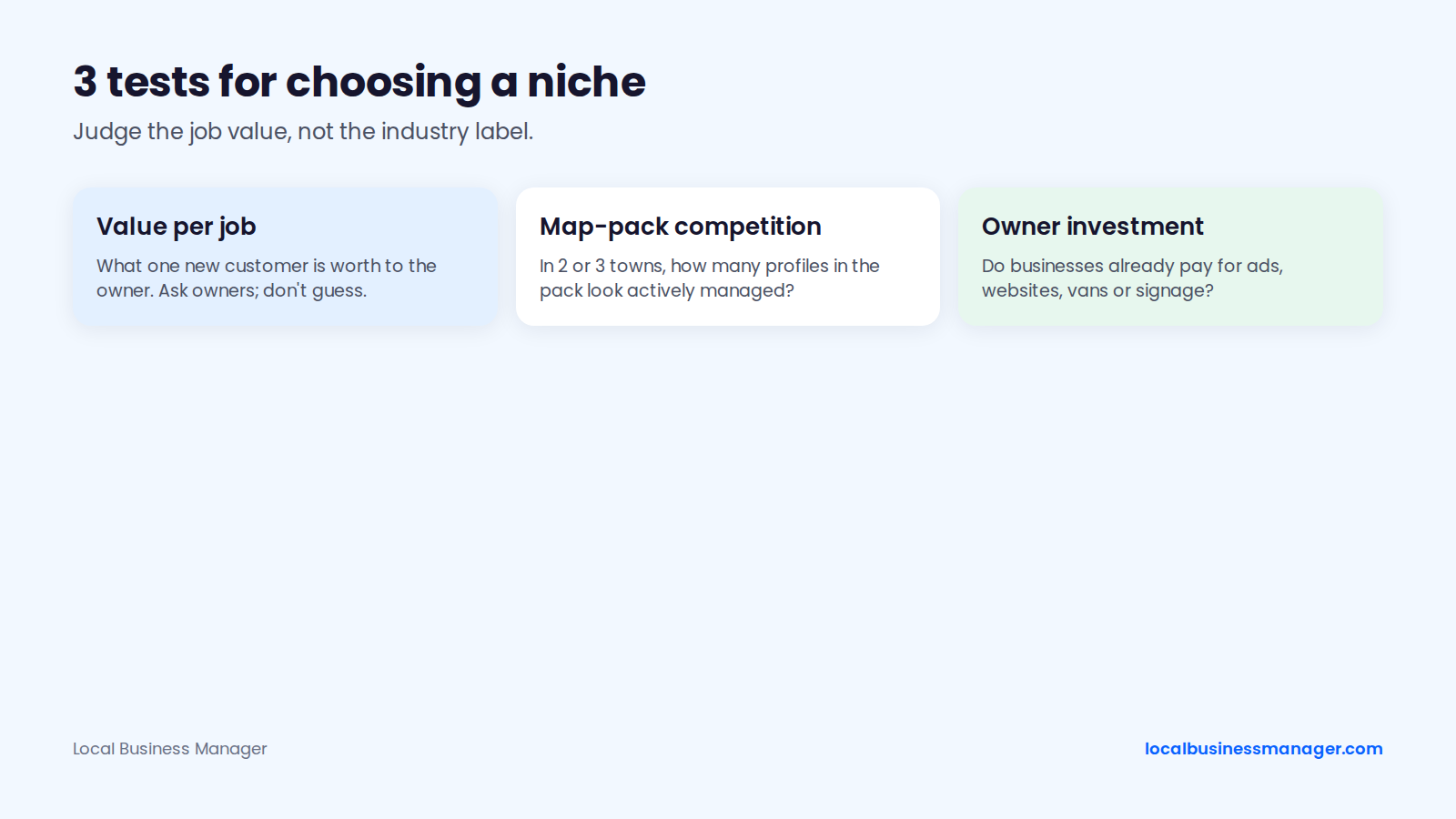
A niche label like "home services" tells you very little. The value of one job tells you whether an owner can afford a retainer and whether a single extra customer covers your fee. Judge each candidate niche on 3 things:
- Value per job or per client: what one new customer is worth to the owner. Ask owners in the niche rather than guessing.
- Map-pack competition: search the main money query in 2 or 3 towns you'd serve and count how many of the profiles shown look actively managed (recent reviews, owner replies, fresh photos).
- Owner investment: whether businesses in the niche already pay for ads, websites, vans or signage.
Run the test on niches such as plumbers, HVAC companies, roofers, electricians, dentists, med spas, auto shops and law firms. If you pick a trade, our guide to local SEO for contractors covers what service-area businesses need.
Pick a Niche You Know From the Inside
My advice for a first niche: pick one where you already have connections, or one you know from the inside. If you've worked in a trade or around law firms, you speak the industry's language, and owners will take you seriously faster.
Niche focus has one catch in local SEO. In a 2016 survey of 868 local SEOs by a local SEO software company (10 years old as of November 2026), 60% served many industries, 24% served 2 or 3, and 16% served one; the survey called niche case studies a "double-edged sword" because clients in the same city compete with each other. The data is old, but the trade-off is still real: if you specialize, decide up front whether you'll take on 2 direct competitors in the same city.
When Law Firms Make Sense
Law firms make sense as a first niche if you already know the legal world from the inside. Without that, they're among the hardest places to start. Personal injury is among the most expensive local niches to advertise in. In a 2026 analysis of the 5,000 most expensive Google Ads keywords (January 2026 data), a click-fraud software company found legal was the costliest industry, with "personal injury lawyer" at about $110 per click and "motorcycle injury lawyer" at about $210. On The Map Marketing, a legal marketing agency, puts "personal injury lawyer" at $100 to $200 per click in major markets.
I ranked and served close to one hundred personal-injury firms in Houston, Denver, Los Angeles and New York. Before you pitch a firm, run 3 checks:
- Bar rules: attorney advertising is regulated by each state's bar, so check the rules for the firm's state. The firm decides what it can say and you write marketing to match; you give marketing guidance, never legal advice. Our local SEO guide for law firms covers the bar rules in more detail.
- The map pack itself: high click prices show that firms spend heavily, but no public study compares map-pack difficulty across niches, so run the map-pack check in each city you'd serve.
- Ad spend: look for sponsored results from the firm on its money queries, a sign it already pays for leads.
How Do You Tell If a Local Business Needs Local SEO?
A local business needs local SEO when it ranks below its competitors for the queries that bring in jobs, and the reasons are fixable: category, services, photos, reviews or website. The check below takes about 10 minutes, and the red flags after it tell you who to skip.
The 10-Minute Prospect Check
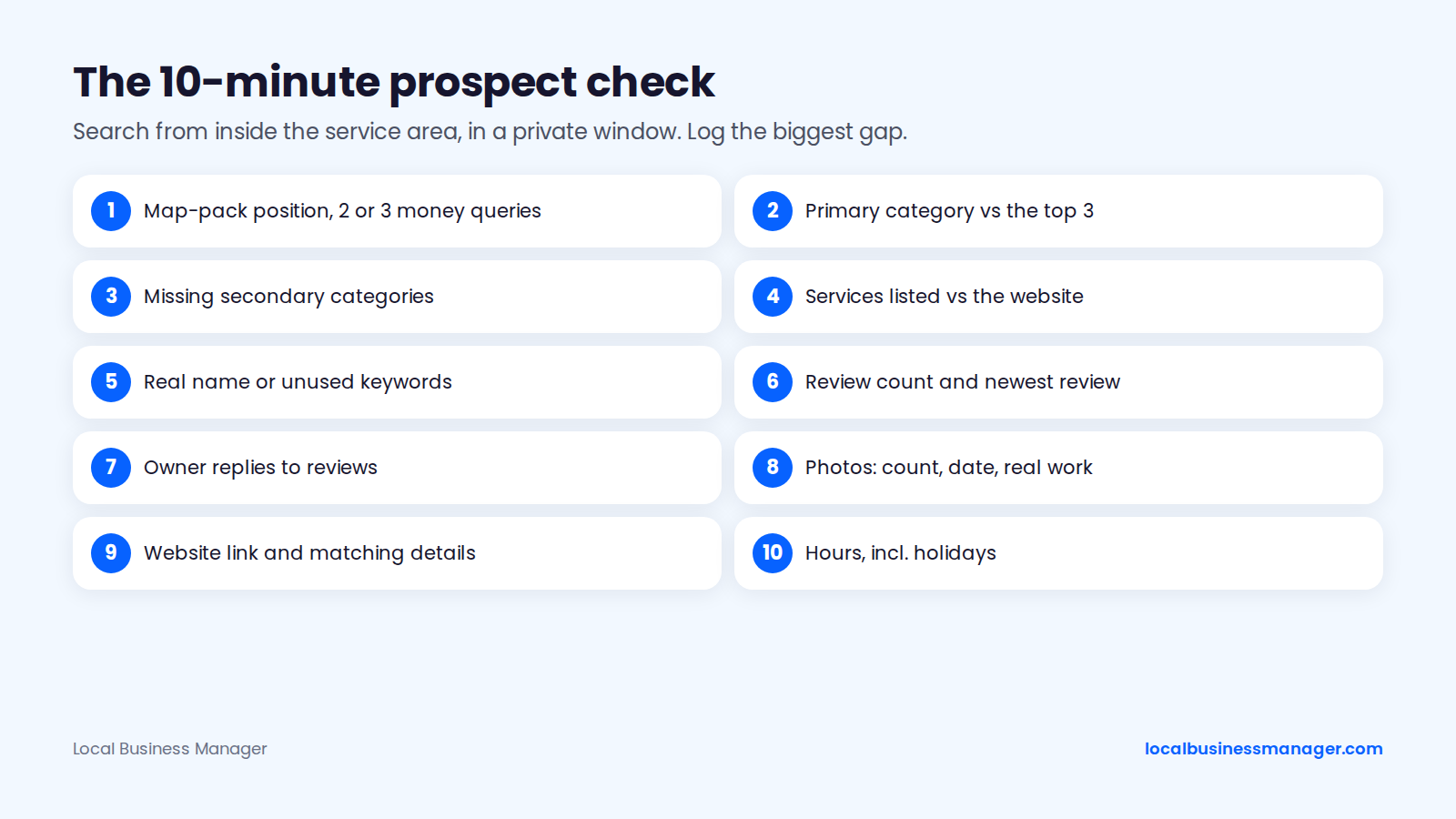
Run these 10 checks from a location inside the prospect's service area, in a private browser window:
- Map-pack position for 2 or 3 money queries, such as "emergency plumber [city]" and "[service] near me".
- Primary category, compared with the category most of the top 3 use.
- Secondary categories: missing ones that match services the business actually sells.
- Services listed on the profile, and whether they match the website.
- Business name: the real-world name, or keywords the business doesn't use. Check the competitors outranking them too.
- Review count and the date of the newest review, compared with the top 3.
- Owner replies to reviews, especially recent negative ones.
- Photos: how many, how recent, and whether they show real work.
- Website link: present, working, and showing the same name, address and phone number as the profile, with the service and city in the page title.
- Hours, including holiday hours, and whether the profile shows "open" when the business says it is.
Record the single biggest gap in the "top issue" column of your tracker; the cold email below is built around it.
What the Check Is Telling You
The checklist follows what the evidence says drives the map pack. Google says local results are based mainly on relevance, distance and prominence, and that review count and rating count toward prominence. In the 2026 Local Search Ranking Factors survey, published November 6, 2025, 47 local search experts rated 187 factors; the survey reflects expert opinion, not a controlled test.
The survey's top 3 local-pack factors split into what an agency can and can't change:
- Primary category: fixable, and item 2 of the check.
- Proximity to the searcher: the one factor you can't fix for a client, so don't pitch it.
- Keywords in the business name: fixable only by changing the name the business really uses (see keyword names below).
On the primary category, my view is simple: use what most of the ranking competitors use, and if Google is clearly rewarding a different category than the "logical" one, go with the category Google rewards. For personal-injury firms, the 2 gaps I've seen most often are a Business Profile name that isn't optimized and too little review flow.
Sales Triggers That Signal a Buyer
A prospect is worth contacting now when the profile shows an owner who already invests in the business. Look for these 7 signals:
- The profile is claimed and the owner replies to reviews, even occasionally.
- A working website that has been updated recently.
- Sponsored results for the same queries, which show the owner already pays for leads.
- Recent photos or posts, even if they're irregular.
- A new location, a new service, or job listings on their website.
- A competitor that has moved above them since you last checked.
- A run of negative reviews with no replies.
These are practitioner observations, not tested predictors of who signs. A simple go/no-go rule: contact a prospect when it shows at least one buying signal and at least one fixable gap from the check.
Treat an unclaimed profile with no website as a lower priority: that owner hasn't shown they'll spend on marketing yet.
Red Flags: Prospects to Walk Away From
4 requests or setups should end the conversation or change it, because each one puts the client's profile or your agency at risk under Google's rules or federal law. The table below is sorted by risk to the profile, highest first, based on Google's Business Profile guidelines, Google's review policy and the FTC's consumer reviews rule, as of November 2026.
Red flag | Rule involved | What can happen | What to offer instead |
|---|---|---|---|
Address is a virtual office | Google Business Profile guidelines | The location isn't eligible for a profile | A service-area setup if the business serves customers at their locations, or a staffed location with signage |
Asks for fake, paid or gated reviews | Google review policy and the FTC reviews rule | Review restrictions on the profile and possible FTC penalties | The same review request to every customer |
Keyword name the business doesn't use | Google's business-name guideline | Suspension risk | A registered DBA used everywhere, or the real name |
Wants guaranteed rankings | Google's "Do you need an SEO?" guidance | A promise no one can keep | Deliverables, a process and monthly reporting |
What the Rules Behind Each Red Flag Say
Google's own documents cover all 4 red flags, and the FTC's rule adds federal penalties for fake reviews:
- Virtual offices: Google's Business Profile guidelines say a rented mailing address the business doesn't operate from isn't eligible for a profile; a coworking space qualifies only with signage, customer visits and staff during business hours.
- Reviews: Google's review policy bans fake engagement, incentivized reviews and asking only happy customers. Google's help pages say profiles that break it can be blocked from new reviews, have existing reviews unpublished, or show a public warning.
- The FTC rule: the FTC's Consumer Reviews and Testimonials Rule (16 CFR Part 465), in effect since October 21, 2024, bans creating, buying or selling fake reviews and lets the FTC seek civil penalties against knowing violators.
- Guarantees: Google's Do you need an SEO? page warns owners against SEOs who guarantee rankings.
A prospect who wants legitimate negative reviews deleted is a softer flag. Agencies can't remove reviews just because they're negative; what you can offer is reply handling and a review request process that asks every customer the same way.
When a Keyword Name Isn't a Red Flag
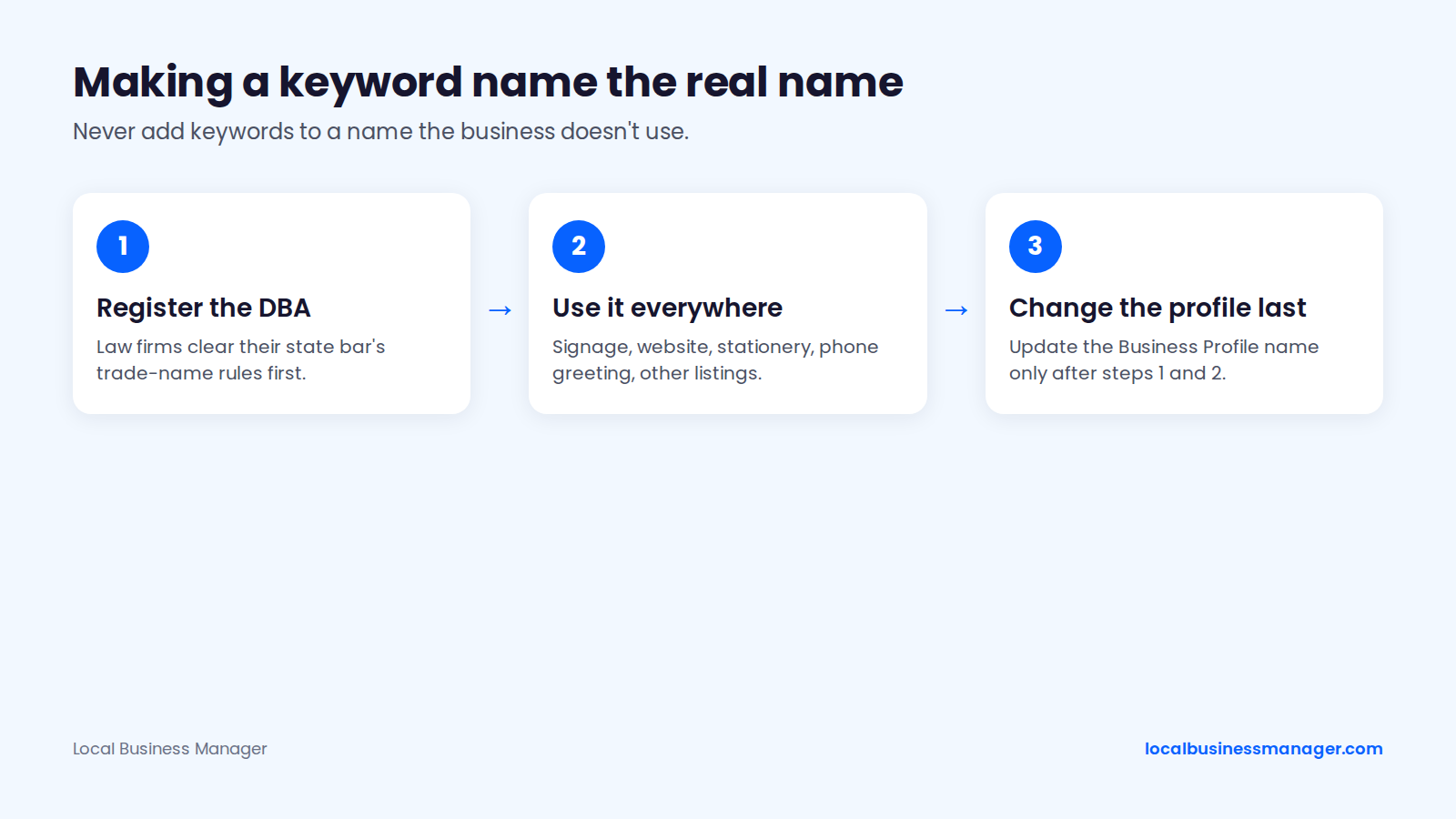
A keyword in a business name is a red flag only when the business doesn't actually use that name. I recommend keyword names, made compliant by turning the keyword name into the business's real name, in this order:
- Register the name as a DBA (assumed name). Law firms check their state bar's trade-name rules first (see below).
- Use that exact name on the signage, website, stationery, phone greeting and other listings.
- Change the Business Profile name last.
A DBA document alone doesn't make a name compliant. Google judges the name the business really uses and can still challenge or suspend the profile; the DBA is what proves the name if Google asks during reinstatement or re-verification.
What Does a Keyword Name Risk?
A keyword name carries a real suspension risk even when the business has registered and uses it. The 2026 Local Search Ranking Factors survey lists keyword names among the top suspension risk factors, and the same survey links them to higher local-pack rank.
For a prospect stuffing keywords it doesn't use, Sterling Sky's 2019 study of 50 keyword-spam cases found 60% of violators got only a warning rather than a suspension. That finding is several years old, so don't read it as today's enforcement rate.
Law firms face a second set of rules before filing a trade name:
- ABA Model Rule 7.1, Comment 5: a trade name must not be false or misleading.
- New York bans trade names (Rule 7.5(b)).
- Texas requires state-bar approval of a trade name.
- Kentucky, New Jersey and Rhode Island restrict trade names.
These rules are as of November 2026. Check the state bar's current rule before the firm files a DBA.
How Do You Build a Prospect List From Google Maps?
Build the list from the same searches a customer would run, and log every finding in one sheet. The 3 steps below turn the 10-minute check into a weekly routine.
Search the Map Pack the Way a Customer Would
Start with 4 query patterns per niche and city:
- "[service] near me", searched from inside the town.
- "[service] [city]".
- Urgent money queries, such as "emergency plumber [city]" or "same day AC repair [city]".
- Specific high-value jobs, such as "roof replacement [city]", "dental implants [city]" or "truck accident lawyer [city]".
Look past the top 3 as well. Businesses lower in the Maps list that show an active owner (recent reviews, replies, a decent website) but miss something fixable are worth checking. Treat this as a practitioner habit: no published threshold for review counts or positions marks someone as a good prospect.
Check Ranking Across the Service Area, Not One Point
A single search from one spot shows where a business ranks from that spot only, not across the area it serves. Google lists distance, meaning how far the business is from the person searching, as one of its 3 main local ranking factors, so an owner searching from the office sees the result from the place where the business is closest. Practitioners call it the most flattering view the owner will ever get.
I don't use single-point checks, because one location says little about how a business ranks across its area. Before you contact a prospect, check the same query from several points around their service area in one of 2 ways:
- Change the search location manually for each point.
- Use any rank tracker that checks from multiple points (geo-grid tools do this).
The multi-point check is also your answer to "I already rank #1", covered below.
Find the Owner Before You Write
A message to the owner by name beats one to a generic inbox. Look in 4 places, in this order:
- The website's About or Team page.
- Owner replies to reviews, which are often signed with a first name.
- LinkedIn, searching the business name.
- Your state's business entity search (usually on the Secretary of State's site), which lists the registered owner or officers.
Note where you found each contact in your tracker, so you can tell later which source gives the best replies.
Track Every Prospect in One Sheet
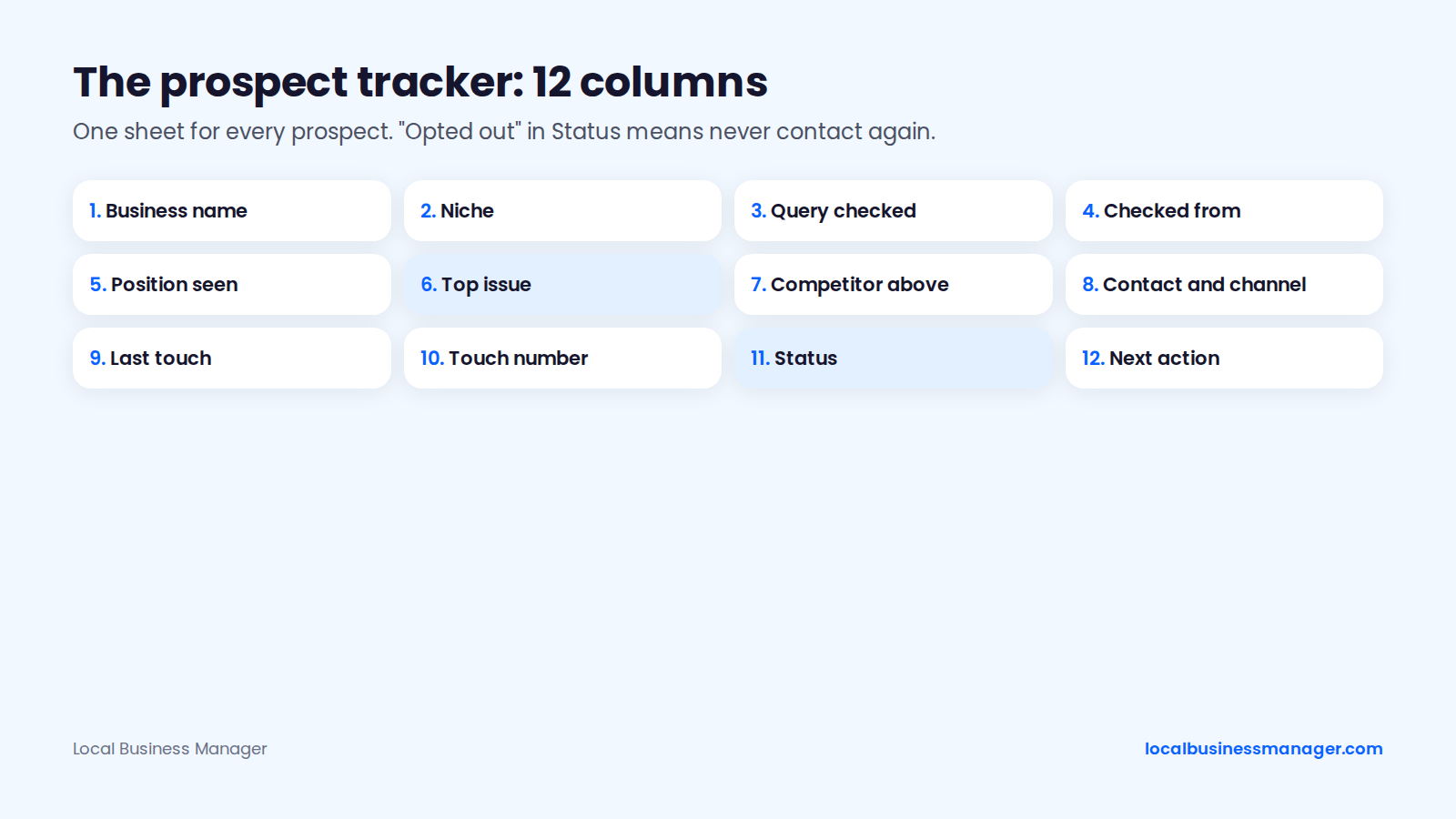
A shared spreadsheet is enough. Use these 12 columns:
- Business name
- Niche
- Query checked
- Where you checked from
- Position seen
- Top issue found
- Competitor outranking them
- Contact name and channel (email, phone, walk-in)
- Date of last touch
- Touch number
- Status (not contacted, contacted, replied, call booked, proposal sent, won, lost, opted out)
- Next action date
The "opted out" status matters as much as "won": anyone marked opted out never gets another message from anyone on your team.
What Should Your First Outreach Message Say?
Your first message should contain one real observation about the prospect's profile, what it costs them, and one easy next step. The templates below follow that formula for email, follow-ups, phone, walk-ins and voicemail.
The One Issue, One Impact, One Next Step Formula
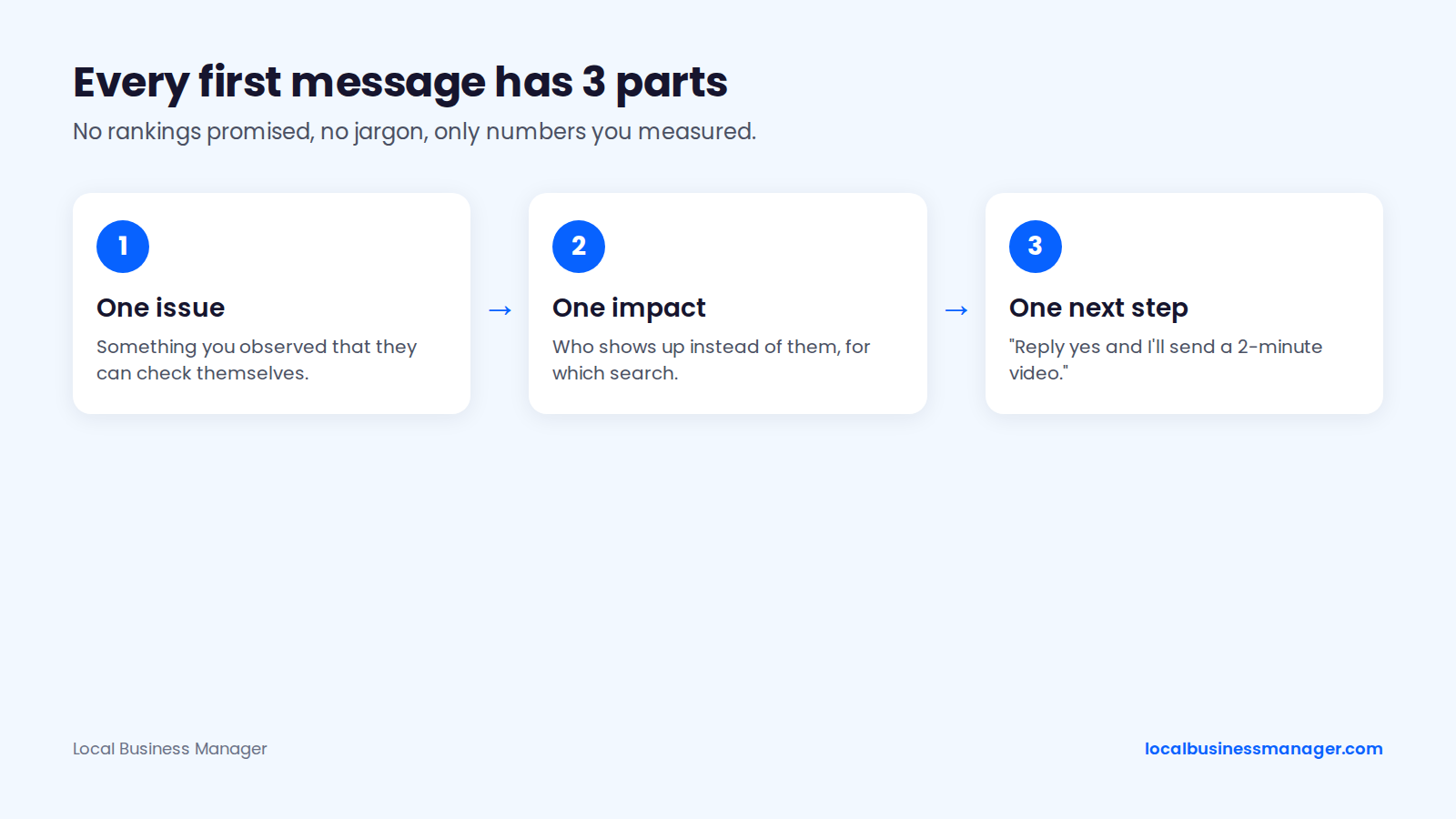
Every first message has 3 parts:
- One issue you observed and they can check themselves: "your main category is X; the 3 businesses above you use Y".
- One impact in the owner's terms: who shows up instead of them for which search.
- One low-friction next step: "reply yes and I'll send a 2-minute video", not "book a 45-minute strategy session".
3 rules keep the message credible. Never promise rankings. Skip jargon like "NAP" or "citations". Use only numbers you measured for that prospect, such as their position for a query or their review count against the top 3; invented traffic figures in pitches mislead.
Cold Email Template for a Local Business Owner
Send it as plain text, with no attachments. Subject line options:
- "[Business name] on Google Maps in [city]"
- "Quick question about your [service] listing"
Body:
Hi [first name],
>
I searched "[service] [city]" from [neighborhood] this morning. [Competitor] shows in the top 3. [Business name] shows at position [position seen].
>
The biggest difference I can see: [one observed issue, for example "your profile's main category is [category], and all 3 businesses above you use [their category]"].
>
That matters because [impact, for example "people searching for [service] in [neighborhood] see [Competitor]'s number before yours"].
>
Want me to send a 2-minute video showing what I found? Just reply "yes".
>
[Your name]
[Agency name], [physical postal address]
>
If you'd rather not hear from me, reply "stop" and I won't contact you again.
Follow-Up Sequence: What to Send and When
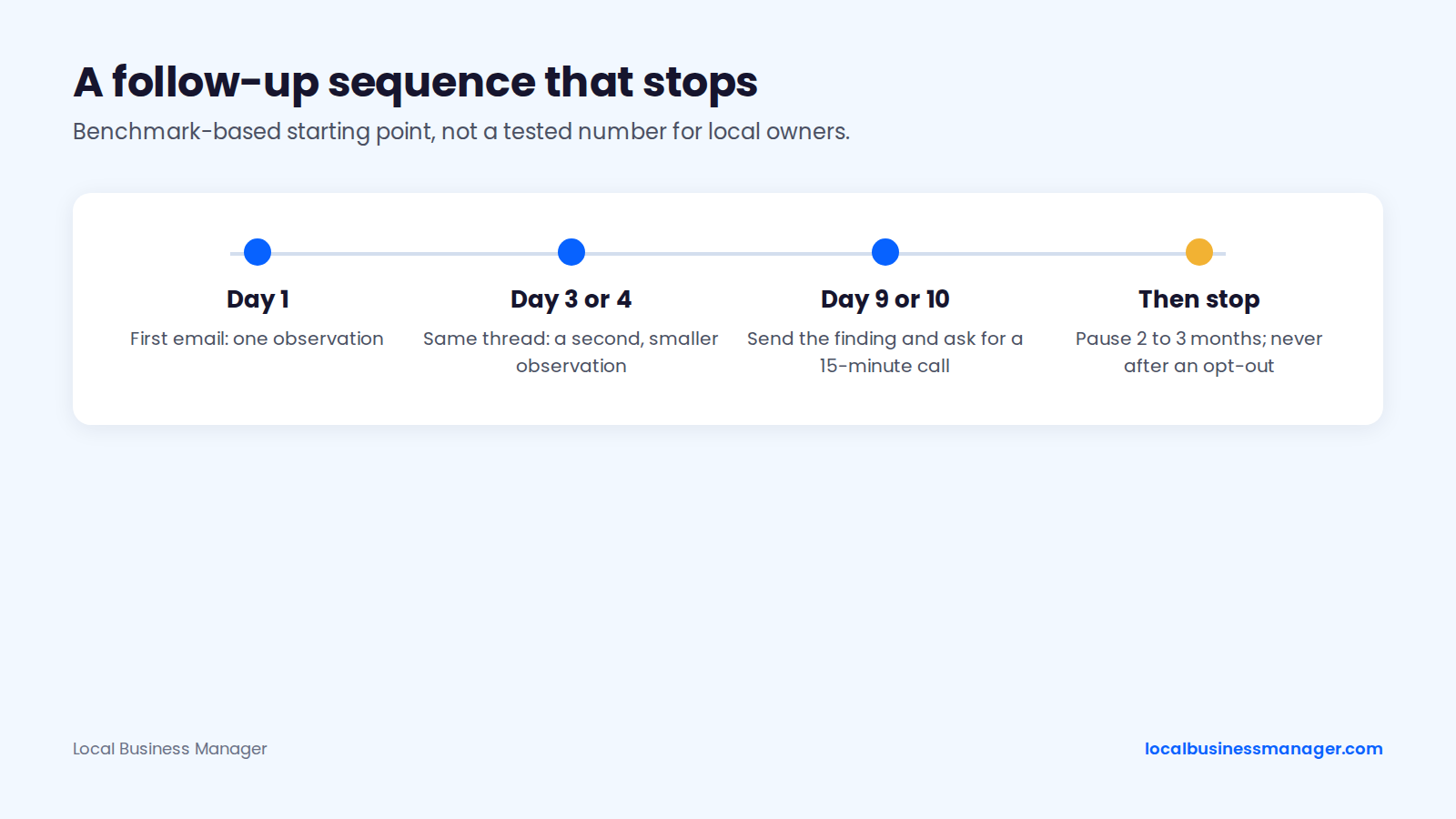
Send 3 emails over about 10 days, then pause for 2 to 3 months. Follow-ups bring in a large share of replies. A cold-email software company's 2026 benchmark, based on its platform's 2025 sends (sample size not published), found 58% of replies came from the first email and 42% from follow-ups; another cold-email vendor's 2026 data, drawn from more than 20 million emails, shows an 8.3% reply rate for campaigns with follow-ups against 4.1% without. Both datasets cover general B2B outreach, not local business owners.
On timing, the first company's blog suggests a short option of 3 emails in total (a follow-up after 3 days, another 6 to 7 days later), then a 2 to 3 month pause. This sequence follows that pattern; it's a benchmark-based starting point, not a tested number for local owners:
- Day 1: the first email above.
- Day 3 or 4: a short reply in the same thread with a second, smaller observation. "Also noticed the last reply to a review on your profile was in [month]."
- Day 9 or 10: send the finding without being asked (the 2-minute video or 2 screenshots) and one direct question: "Worth a 15-minute call this week?"
- Then stop. Contact them again after 2 to 3 months only with a new observation, and never after an opt-out.
Phone and Walk-In Opener
The phone opener asks permission to send the finding instead of pitching on the spot:
"Hi, is this [owner name]? This is [your name] with [agency], a marketing agency in [city]. I'll be quick. I searched '[service] [city]' this morning and [Competitor] shows above you on Google Maps, mostly because of [issue]. I wrote up a short note on it. Can I email it to you, or is there a better time for a 10-minute call?"
For walk-ins, 4 rules apply:
- Go at a quiet time of day and ask for the owner by name.
- Never pitch staff in the middle of a job or in front of customers.
- If the owner isn't in, leave a one-page note with the single finding, the search you ran and your contact details.
- Log the visit in your tracker as a touch, with the date.
For owners who never answer the phone, a postcard can do the same job: 2 lines with the single finding and the search you ran, your contact details, and your postal address.
Before calling anyone, read the calls and texts rules below.
How to Leave a Voicemail That Gets a Callback
Keep a voicemail short and promise one specific thing you'll send:
"Hi [name], it's [your name] from [agency]. I searched '[service] [city]' and found one thing on your Google listing that's putting [Competitor] ahead of you. I'll email you the details today. My number is [number]. Again, that's [number]."
Then send the email the same day and mention the voicemail in the first line ("Following up on my voicemail from this morning"). Leave the message yourself, live; the compliance checklist below rules out prerecorded messages. Log the voicemail in your tracker as a touch.
How Do You Keep Cold Outreach Legal and Out of Spam?
Cold email to local businesses is legal in the US when every message follows CAN-SPAM, and texts need the prospect's consent first. Other countries have their own rules. This is marketing guidance, not legal advice; the rules vary by channel and state, so read the primary sources.
Cold Email Rules in the US (CAN-SPAM)
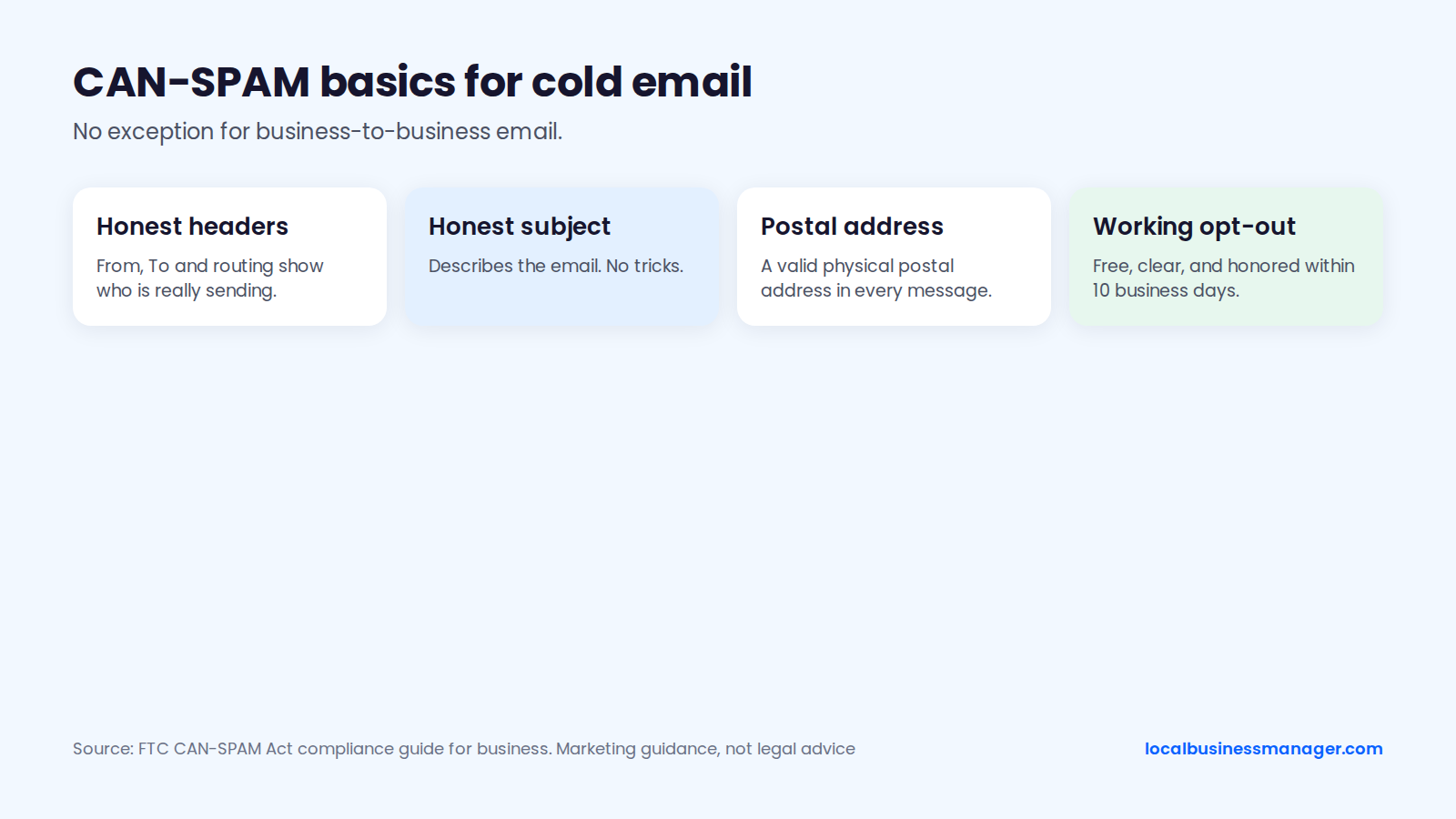
CAN-SPAM applies to cold emails sent to local businesses. The FTC's CAN-SPAM Act compliance guide for business says the law makes no exception for business-to-business email, and opt-out requests must be honored within 10 business days. Every message needs a clear, working way to opt out that costs the recipient nothing.
The FTC guide also covers honest header information, subject lines that aren't deceptive, and including your valid postal address; read the full list before your first send. An FTC staff Q&A from August 2015 adds that CAN-SPAM doesn't require you to label the subject line as an advertisement.
Calls and Texts: Why Texts Need Consent
Never text a prospect who hasn't agreed to receive texts from you. Calls are less clear-cut. Live calls to business landlines generally fall outside the TCPA's consent rule for cell numbers and the Do Not Call rules, according to secondary legal summaries. The same summaries say business mobiles and mixed-use numbers can be treated as residential numbers, and that some state laws, Florida's for example, also protect businesses.
Check the FCC's TCPA guidance and your state's rules before you dial. If the number on a contractor's profile looks like a cell phone, treat it as a personal number for calls as well.
Gmail and Yahoo Sender Requirements
Gmail requires every sender to set up SPF or DKIM on the sending domain and to keep spam complaints below 0.3%, as reported in its Postmaster Tools. Google's email sender guidelines add more for bulk senders, meaning 5,000 or more messages a day to Gmail addresses: SPF and DKIM plus DMARC, and one-click unsubscribe on marketing messages. Google recommends staying under 0.1% spam complaints. Yahoo publishes similar sender requirements; read its sender page before your first send, and recheck both whenever you set up a new sending domain.
A common practitioner practice is to send cold outreach in small, personalized batches from a separate domain, so a deliverability problem doesn't touch the domain your clients email. Judge campaigns by replies rather than opens: a reply is the number that shows a person read the email and cared enough to answer.
Cold Outreach Compliance Checklist
Run through these 10 points before each campaign:
- Every cold email names your business and includes your physical postal address.
- Every email has a working opt-out, and opt-outs are honored within 10 business days.
- Subject lines describe the email honestly.
- One suppression list covers everyone on your team, and opted-out contacts never get another message.
- No texts to anyone who hasn't opted in.
- Business mobiles are treated as personal numbers for calls.
- No autodialers or prerecorded messages.
- Sending domain set up to Gmail's and Yahoo's published requirements.
- Small, personalized batches from a separate domain.
- Non-US prospects checked against that country's rules.
For item 10, the US rules don't carry over. Start with the regulator's guidance in each country:
- UK: PECR, with guidance on electronic mail marketing from the ICO.
- EU: GDPR, plus each country's rules on electronic marketing.
- Canada: CASL, with guidance from the CRTC.
Which Inbound Channels Bring Local SEO Clients?
The inbound channels that bring local SEO clients are referrals, your own profile and website, local workshops and communities. Referrals are the largest source for agencies in general, and each channel below comes with a script or plan.
Your Own Google Business Profile and Website
Your agency's own profile is your first proof, so it has to follow the rules you'll enforce for clients, including the virtual office and coworking rules covered under red flags above. Google's Business Profile guidelines only allow a business that "has a physical location that customers can visit, or travels to customers where they are". If you work from home and meet clients at their premises, a service-area setup is the compliant option.
Expect your profile to rank near your office, not across the state, for the distance reason covered in the service-area section above. Target the area you actually serve and use pages on your website for wider reach.
Your own website should show prospects you understand their trade:
- One service page per niche, such as "local SEO for plumbers", rather than one page per city.
- 2 or 3 articles answering problems owners actually search, such as why their Google Business Profile isn't showing up.
- A contact form on every case study page, so a convinced reader can act straight away.
Write a Case Study Owners Believe
Owners believe case studies that look like their own situation. Give each one 4 parts:
- Niche and city: "a roofing company in a mid-sized Texas city" is enough if the client stays anonymous.
- The problem: the multi-point ranking view before you started, and the top issue from the prospect check.
- The work: the 3 or 4 changes that mattered, in plain words.
- The outcome: calls, direction requests and website clicks from the profile, and where it ranks across the area, with dates.
Get written permission first, and agree whether the client is named or anonymous. An anonymous case study with real numbers beats a named one with vague claims.
Referral Partners: Who to Approach and What to Say
In a 2023 self-reported survey of marketing agencies by an agency reporting software company (about 3 years old as of November 2026), 45% said they win new clients through recommendations and referrals (24% from existing clients, 21% from word of mouth), and 16% through their own SEO and content. The survey covers marketing agencies broadly, not local SEO specialists.
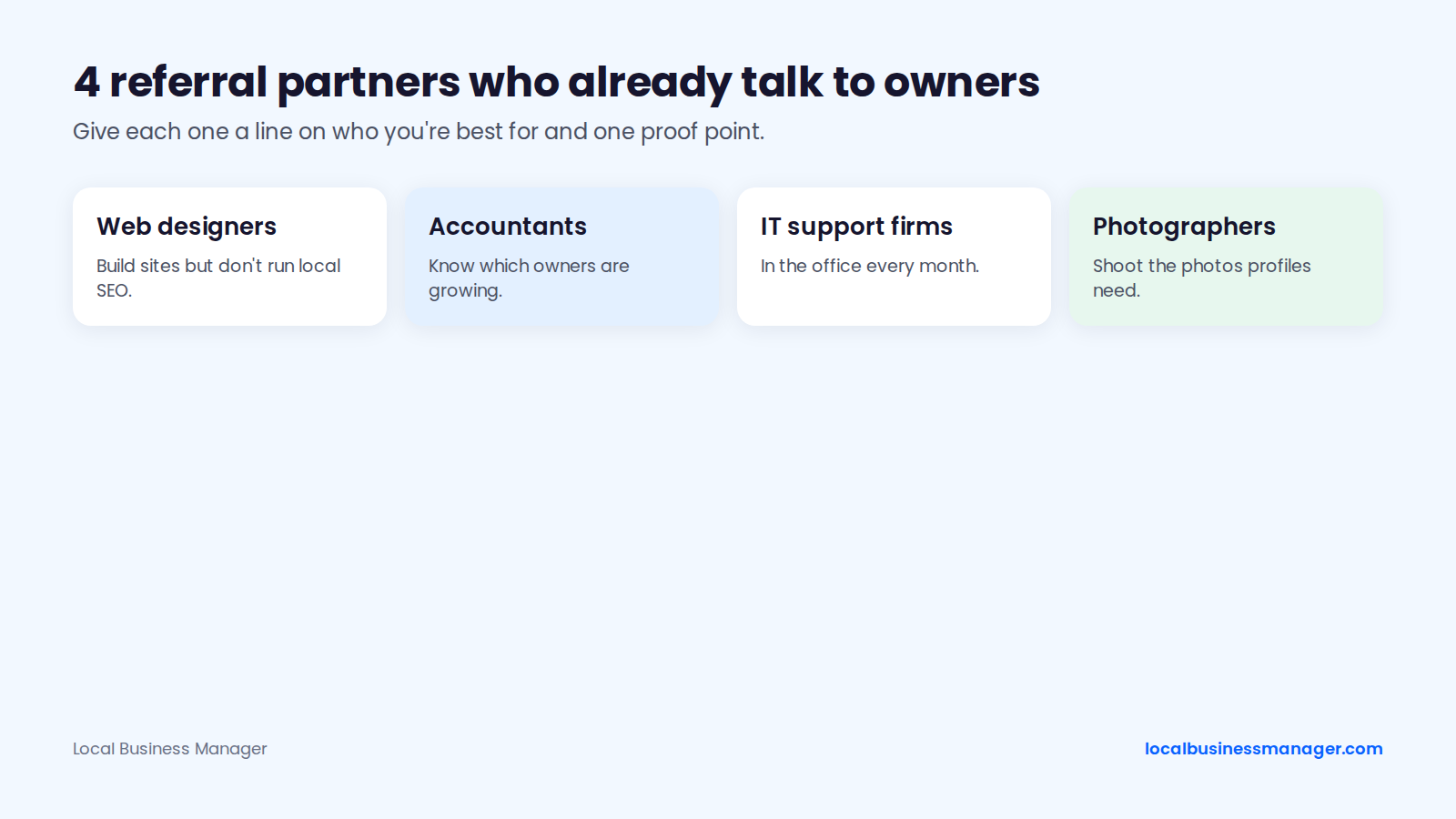
The best referral partners already talk to local business owners about something next to marketing: web designers, accountants, IT support firms and photographers. Give each partner 2 things: a one-line description of the client you're best for, and one proof point you have permission to share.
Partner intro script:
"Hi [name], I run [agency]. We help [niche] businesses in [area] show up on Google Maps. Your clients probably ask you about Google now and then. When one does, would you be open to sending them my way? I'm happy to do the same for [their service] work I come across. The client I'm best for: [one line]. One result I can share: [proof point, with the client's permission]."
If you pay referral fees, put the terms in writing with the partner and tell the referred client. Keep links out of these deals: before agreeing to any link in exchange for work, read Google's spam policies on link schemes.
Asking Clients for Referrals
No study pins down the best moment to ask a client for a referral. A sensible one is right after a result they noticed themselves, such as a monthly report with more calls, or the day they mention a new customer found them on Maps. One ask at that moment tends to land better than a scheduled one; that's a practitioner judgment, not a measured finding.
Client referral script:
"Glad [result they mentioned] is showing up. Quick ask: do you know another business owner, not a competitor, who's been frustrated with how they show up on Google? If you send me their name, I'll reach out and keep it low-key."
Ask for case-study permission in the same conversation: whether you can share the result, and whether you can use their name or should keep it anonymous. Get the answer in writing.
Chambers of Commerce and Local Workshops
One way to make a chamber of commerce membership work is to teach something instead of handing out cards. Offer a 45-minute workshop with a title owners would actually click, such as "Why Your Competitor Shows Up on Google Maps and You Don't". Run it in person or on Google Meet or Zoom, and do a live 10-minute check on 2 or 3 volunteers' profiles.
Follow-up plan:
- Same day: thank attendees and send the slides.
- Within 2 days: offer each attendee the 10-minute check on their own profile.
- 2 weeks later: send one useful tip tied to the workshop.
- Add every attendee to your tracker with the source "workshop".
Treat workshop follow-ups like any other commercial email: include your postal address and a working opt-out.
Communities Where Local Owners Ask Questions
Communities are the main way to find local SEO clients online without cold outreach: answer questions in public and let people come to you. 4 places to start:
- r/localseo on Reddit: mostly practitioners rather than owners, so treat it as a place to learn and be seen by peers who may refer work; keep self-promotion out.
- Local Facebook business groups for your city or niche: this is where owners actually ask. Help in the thread and keep pitches out of the comments.
- LinkedIn: use a headline that names your niche and area ("Local SEO for plumbers in Central Texas"), post real, anonymized findings from your prospect checks, and comment genuinely on owners' posts. When you connect with a prospect, mention one observation about their profile and don't pitch until they reply. Skip engagement pods, where staff like and comment on each other's posts to game reach.
- Trade association newsletters and chamber blogs: write guest pieces where local owners read, aimed at those readers rather than at earning links.
How Much Should You Give Away Before They Pay?
Give away the diagnosis, and charge for the plan and the work. No Google policy or industry body sets this boundary; it's a business decision, and the sections below give a workable line.
What Goes in a Free Mini-Audit
A free mini-audit should contain 2 or 3 findings, delivered as a short screen recording or a one-page note, not a long PDF. No study ranks which findings persuade owners most, so choose from these 4, each tied to the ranking signals in the prospect check:
- Primary category compared with the top 3.
- Services missing from the profile that the business sells.
- The review gap against the top 3 (count and recency).
- How ranking drops off across their service area.
Pick the 2 or 3 that apply, and keep the full audit, the 10 steps in our local SEO audit checklist, for paid work.
Keep the video under 2 minutes, in 4 beats:
- Show the search and where you ran it from.
- Their position against the top competitor.
- The 1 or 2 findings, on screen.
- The one fix they can make themselves, and "reply yes if you want the rest". Free audits are an established sales tool: a local SEO software company's pricing guide calls free offers loss leaders, and one agency's published offer is a free, personalized 10-minute video audit delivered within 72 hours.
Where the Free Work Stops
Keep free work to diagnosis; anything that changes the profile or website is paid. Contributors to an expert roundup published by an SEO audit tool argue that a free audit should show the agency's value but can't match a full paid audit. Keep the split visible:
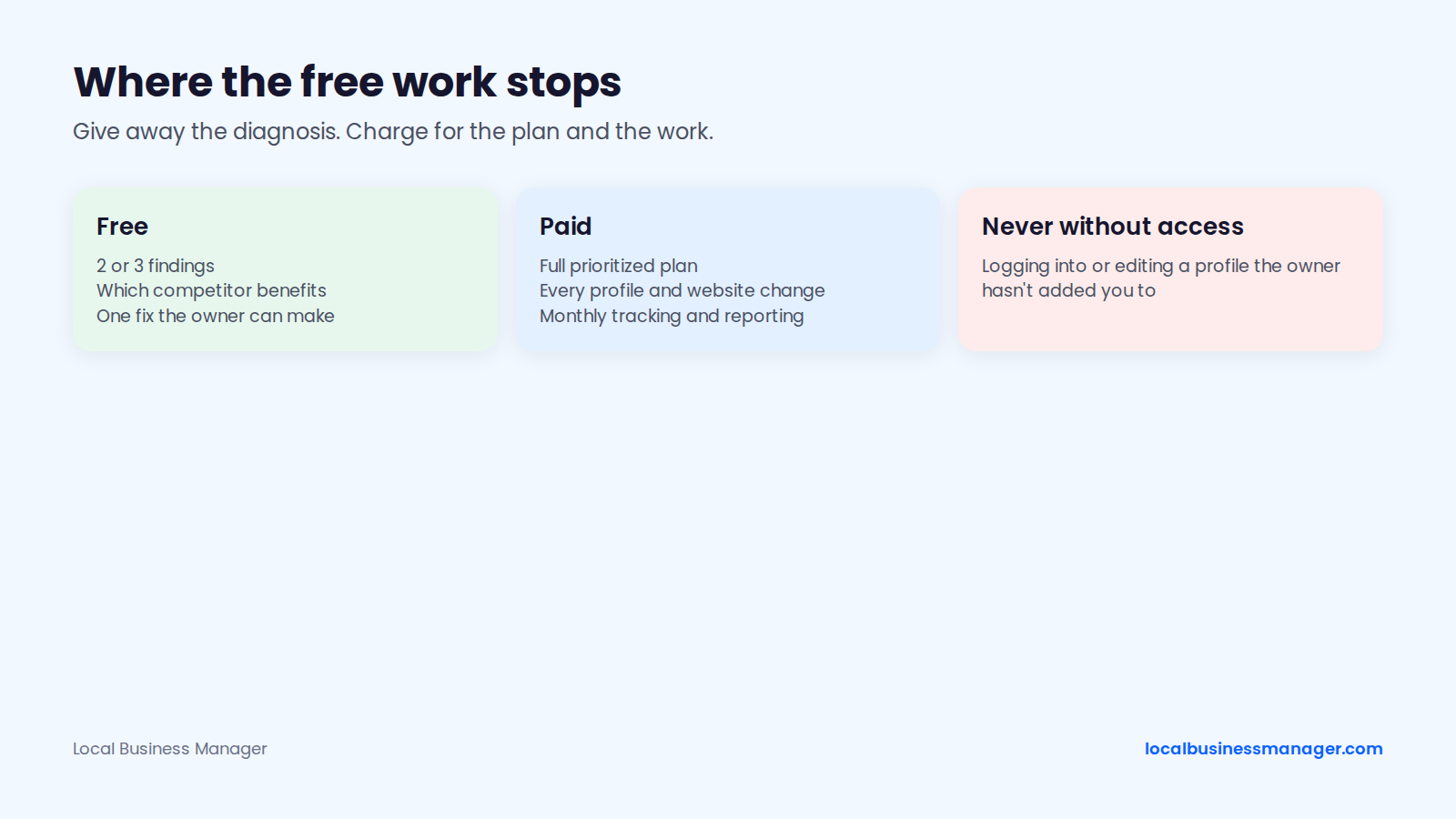
- Free: the 2 or 3 findings, which competitor benefits from each, and one small fix the owner can make themselves.
- Paid: the full prioritized plan, every change to the profile and website, and monthly tracking and reporting.
- Never, free or paid, without access: logging into or editing a profile the owner hasn't added you to. "Free GBP optimization" before the owner grants access isn't on the table.
How Do You Turn a Reply Into a Signed Client?
A reply becomes a signed client through a short discovery call, honest answers to the usual objections, a one-page proposal and a clean access setup.
Discovery Call Questions
Ask these 10 questions on the first call, in roughly this order:
- Where do new customers come from today?
- Which jobs or cases do you want more of?
- What's a typical job or client worth to you?
- Have you worked with an SEO agency before? What happened?
- How do you track calls and leads now?
- Who handles marketing day to day?
- Who owns your Google Business Profile: you, a past agency or an employee?
- Which towns do you serve, and which do you want to grow in?
- What would make the next 6 months a success for you?
- Who else needs to approve a decision like this?
If a past agency or ex-employee owns the profile, sort out ownership (see Get Profile Access the Right Way below) before any other work.
Answering "I Already Rank #1"
"I already rank #1" usually means the owner searched from their own office, the most flattering spot for the distance reason explained under Check Ranking Across the Service Area above. A reply that doesn't start an argument:
"You probably do, from where you're sitting. Google weighs how close a business is to the person searching, so your office is your best spot. Your customers search from [towns]. Can I show you what someone in [town] sees for '[service]'?"
Then show the same query checked from several points across their service area, side by side with the competitor who wins those points.
Answering "Word of Mouth Is Enough" and "We Tried SEO"
"Word of mouth is enough" is a fair point to agree with. Reply:
"Word of mouth is the best lead you can get. When someone hears your name and looks you up, your Google profile is what they check. I'd make sure it backs up the recommendation."
"We tried SEO and it didn't work" needs questions before answers: what was done, what was measured, and how long it ran. Then reply:
"I'd only commit to what I can show you every month: calls, direction requests and website clicks from your profile, plus where you rank across your area. If those don't move, you'll see it in the report."
Answering "How Much?" and "How Fast?"
Have a fixed answer ready for "how much?" so the call doesn't stall. For context, in a poll of 439 SEO providers published by an SEO software company (page updated 2026, poll date not stated, so treat the figures as dated), local SEO averaged $1,557 a month and 78.2% of providers charged a monthly retainer. Reply:
"It depends on how many locations you have and how big the gap is. After this call I'll send a one-page proposal with a fixed monthly price and exactly what's included."
For "how fast?", in my experience it depends on what's already optimized. A single high-impact fix, such as the keyword name described under red flags above, can show ranking gains within about a month; explain its suspension risk to the client first.
Once the basics are done, further gains, for example from a strong review push, come gradually. Say exactly that, and never promise a position.
A One-Page Proposal Outline
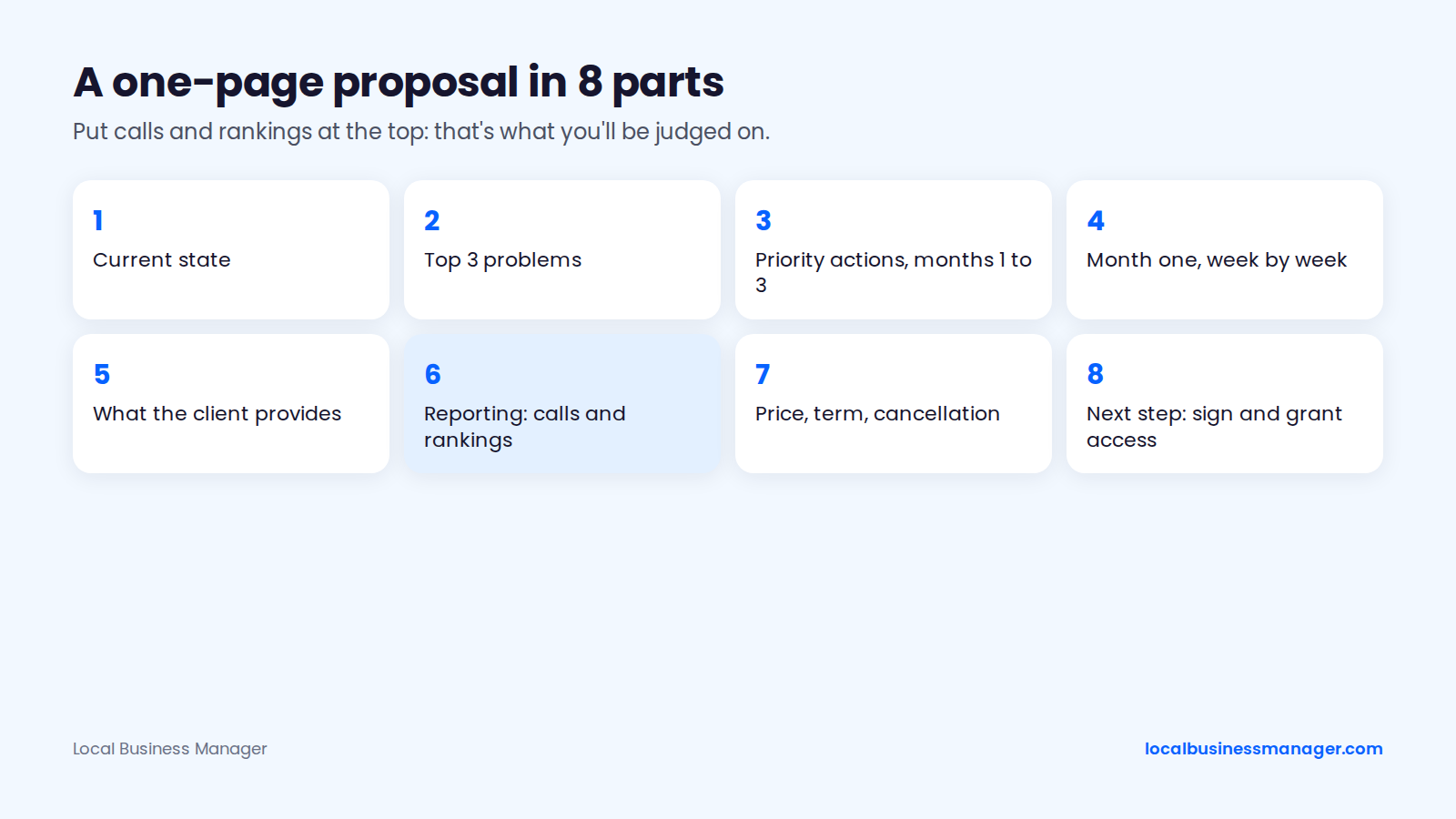
Keep the proposal to one page with 8 parts:
- Current state: positions for 3 money queries from several points in the area, review count against the top 3, and the checklist findings.
- Top 3 problems, in priority order, each with the competitor who benefits.
- Priority actions for months 1 to 3.
- Month one, week by week.
- What the client provides: profile access as described below, photos, and a review request process that asks every customer the same way.
- Reporting and ROI tracking: calls, direction requests and website clicks from the profile, plus rankings across the area, so the client can weigh results against the fee.
- Price, term and cancellation terms.
- Next step: signature and the access request.
In the monthly report, I lead with calls and rankings. Put the same 2 at the top of the proposal, so the client knows from day one what you'll be judged on.
Get Profile Access the Right Way
The business owner should create, verify and own the profile, then add your agency as a manager. Google's help page on owners and managers sets the roles:
- A profile can have several owners but only 1 primary owner.
- Managers can do almost everything owners can, except add or remove users or remove the profile.
Google's other help resources cover the rest:
- Only the current primary owner can transfer primary ownership, according to Google's Business Profile Community guide.
- New owners and managers must wait 7 days before they can remove profile content or other users, according to Google's help page on removing a Business Profile.
- If someone else already verified the profile, the business owner uses Request Access to ask the current owner for it, according to Google's help page on requesting ownership.
Agencies managing many profiles can request access through Google's agency dashboard, which needs a domain email address rather than Gmail, according to Sterling Sky (October 2026). Practitioners disagree on how much access an agency should hold: Search Scope advises manager access only, removed when the engagement ends, while Steady Demand allows the agency owner access if it handles ownership requests, but never as the only owner.
Ownership problems do happen. A 2020 Local Search Forum thread describes an agency that gave owner access to another agency and was then demoted to manager, and Search Engine Land reported a rise in fake ownership-request emails in 2022.
Which Channel Should You Start With?
The right first channel depends on what proof and time you have. The starting points below are suggestions built on the sources in this guide, not tested rules, and they match the warm, referral and cold channels covered above.
Pick by Your Situation
An agency with no portfolio can start with warm contacts and referral partners in a niche it knows; a solo freelancer can add targeted cold email in 1 niche; a small agency can run cold outreach at volume alongside client referrals. The table is sorted from fewest to most resources and draws on the 2023 agency survey above (referrals as the largest source of new clients) and the own-brand case-study advice in the FAQ below, as of November 2026.
Situation | Starting channel | Cash cost | Time cost | Why it fits | First proof to build |
|---|---|---|---|---|---|
No portfolio, no clients | Warm contacts in a niche you know, plus referral partners | Low | Medium | Referrals were the largest source of new clients in the 2023 agency survey | Results on your own profile and site, documented from day 1 |
Solo freelancer with 1 to 3 clients | Map-pack cold email in 1 niche, small batches | Low (domain and email tool) | High | Each email is built on one checked observation, so volume stays manageable | A case study from a current client, with written permission |
Small agency with a team | Cold email and calls at volume, plus client referrals | Medium (staff time, tools) | High, shared across the team | One person can own outreach every day | Case studies in the same niche across different cities |
A Weekly Prospecting Routine
No published benchmark gives a weekly contact volume, or a typical time to the first client, for local SEO outreach. Most of the personal-injury firms I worked with came from cold outreach, contacting as many prospects as possible. The check itself sets a practical cap: a 2-hour Monday block fits about 12 ten-minute checks, which sets the week's first emails. Whatever volume you choose, keep it inside the compliance rules above. One suggested routine:
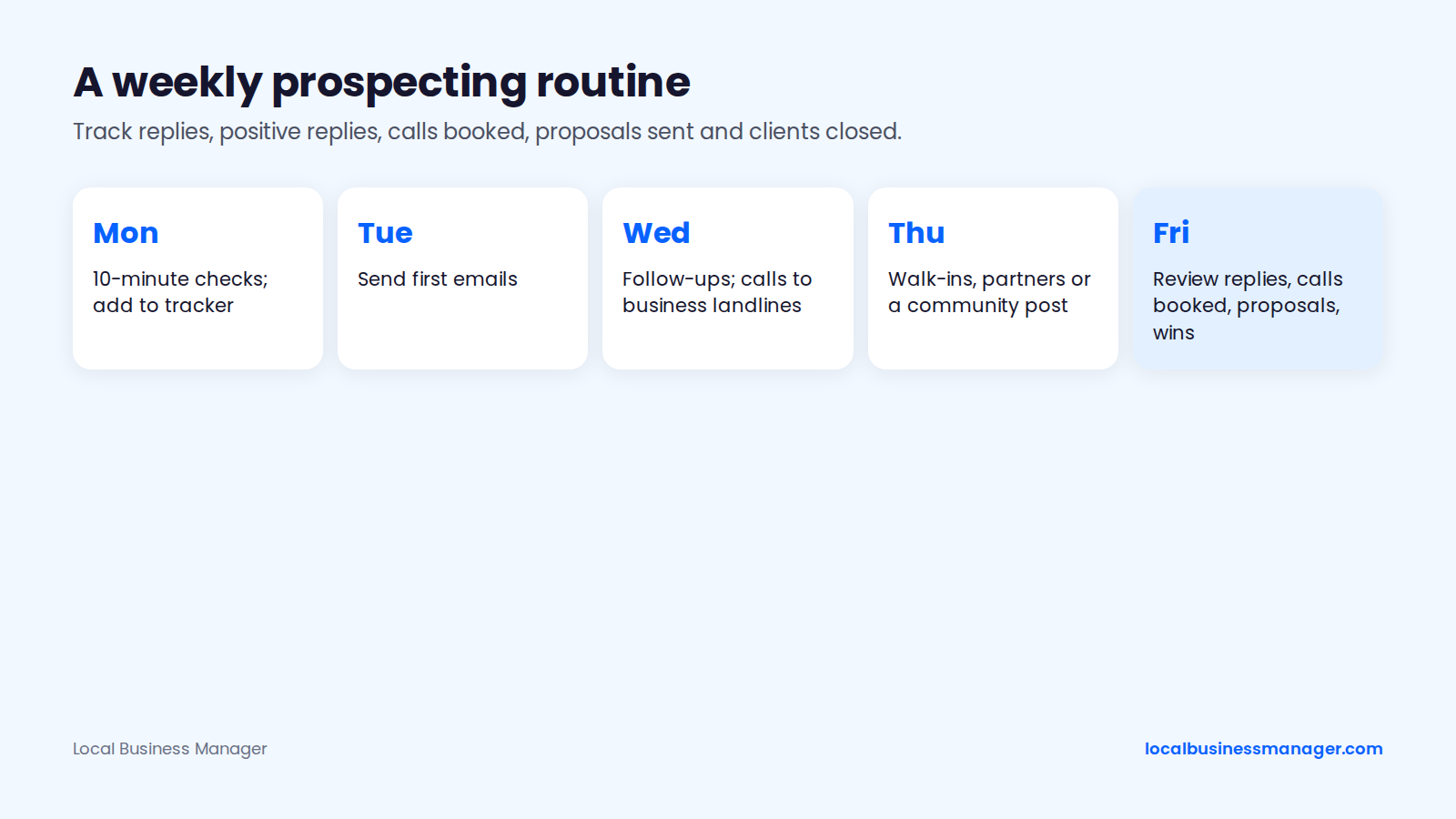
- Monday: run the 10-minute check on new prospects and add them to the tracker.
- Tuesday: send first emails.
- Wednesday: send follow-ups due and make calls to business landlines.
- Thursday: walk-ins, partner meetings or one community post.
- Friday: review the week's numbers.
Track 5 numbers on Friday: replies, positive replies, booked calls, proposals sent and clients closed. Skip open rates. If replies stay low for a few weeks, a common practitioner fix is to change the observation you lead with before you change the niche.
Once clients sign, the monthly report is where you show the calls and rankings you promised in the proposal.
Frequently Asked Questions
How Do I Get My First Local SEO Client With No Case Studies?
Start with people who already know you, in a niche you understand, and document results on your own profile from day 1. One practitioner blog suggests running your process on your own brand for 60 days and using the data as your first case study. When your first client signs, agree in writing before you start that you can share the results, with or without their name.
What Reply Rate Should I Expect From Cold Email to Local Businesses?
No published benchmark covers cold email to local business owners; the figures that exist are general B2B data from companies that sell cold-email tools. One of them calls a 3% to 6% reply rate healthy for broad B2B cold email in 2026 and says under 3% points to a targeting or deliverability problem. Another's platform data puts the average at 3.43%. Treat these as rough sanity checks, and compare your own reply rates by niche and by opening observation.
Should I Guarantee Rankings?
No. Google's own SEO guidance warns owners against anyone who guarantees rankings, and no one controls the map pack. Promise deliverables, a process and monthly reporting on calls and rankings instead, and say plainly that positions can move both ways.
Do I Need a Client's Login to Work on Their Profile?
No. The owner should keep ownership and add your agency as a manager from the profile's settings. Managers can do almost all the work, and the owner never shares a password. If the profile is owned by a past agency or employee, sort out ownership first.
Is Upwork Worth It for Finding Local SEO Clients?
Upwork is an optional channel, and no public data shows how often it produces local SEO clients. One cold-email software company's guide suggests Upwork or Fiverr Pro for a first client. Check the current freelancer fee in Upwork's help center before you set prices there. If you use it: build the profile around one niche, open each proposal with a quick check of the job poster's own map pack, and set fixed times each day to review new jobs. Keep "page 1" promises out of your profile, since Google's SEO guidance warns owners against SEOs who guarantee rankings.
Start With One Niche and One Map Pack
Pick one niche you know, run the 10-minute check on the businesses in its map pack this week, and send the ones with a clear, fixable gap a single specific observation. When those clients sign and their profiles, reviews and reports start spreading across separate tools, Local Business Manager is being built as one place for that agency work: join the early access list.